

Excel Subtitle Cleanup Tutorial · Sublyric
Excel Subtitle Plugin: Free Add-in for One-Click Formatting Cleanup, Read-Aloud Proofreading, and SRT Export
You know the drill. The transcription is done, and now there's a wall of text sitting in Excel. Chinese and English are jumbled together, the timings don't line up, and punctuation you meant to strip out is still hanging around. And once you've finally cleaned it all up, you still have to read every line out loud to catch dropped words. After a while, you feel less like a subtitler and more like a text-to-speech engine.
Most of this tedious cleanup doesn't actually need professional software. A free subtitle cleanup plugin can take care of it. Excel just needs a little help.
Excel Subtitle Cleanup Add-in: Fix Messy Formatting and Take the Pain Out of Proofreading
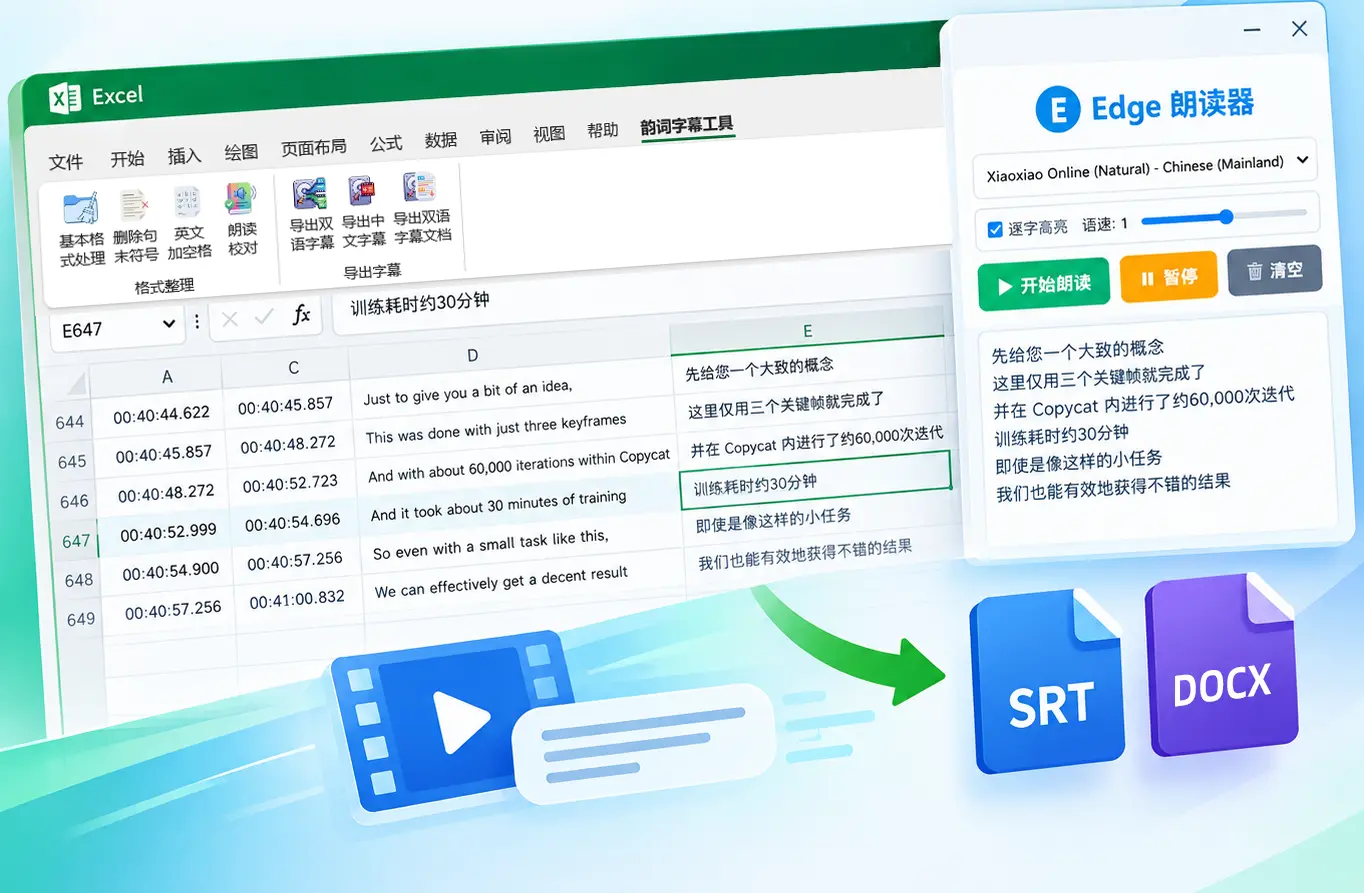
We built an Excel subtitle cleanup add-in. Once it's installed, a new "Sublyric Tools" tab shows up on the ribbon, aimed squarely at the most annoying parts of subtitle cleanup.
Messy Chinese-English formatting, fixed in one click
Spaces between Chinese and English, whether to keep trailing punctuation, whether the table looks tidy: you used to fix all of this by hand, line by line. Now you just select a range and click a button.
Read-aloud proofreading, for when reading it yourself isn't enough
This is the feature we use most. Select some text, click "Read Aloud Proofread", and it's read back to you in a natural voice, not a stiff robotic one. Missing words and clunky phrasing jump right out, and one listen catches more than ten read-throughs. There's no window switching either. When one section finishes, select the next and click again.
Excel to SRT subtitles: export a subtitle file in one click
Once your bilingual text is laid out in Excel, a single click exports it as a standard SRT subtitle file. You can also export bilingual subtitles to Word for easy sharing and review, with no reformatting line by line.
Your text is clean. Now what?
This free subtitle cleanup plugin gets your text tidy and gives you a clean, well-formed SRT. But the parts of subtitle production that really make an impact, like polished bilingual layouts, karaoke lyric effects, and even the transcription and translation up front, are beyond what Excel can do. That's where Sublyric comes in:
- Don't want to translate line by line? Sublyric transcribes speech straight to text and auto-translates it into more than a dozen languages, with timings already aligned. No checking timestamps one by one.
- Making karaoke lyrics, sing-along videos, or music video subtitles? Pick from 50+ animated lyric effects, including bounce, neon, and fire. One click, no coding. Bilingual lyrics and emoji animations on the same screen? No problem.
- Need timing accurate to the millisecond? Adjust against the audio waveform with linked multi-track subtitles. It's far more reliable than eyeballing frames.
- Want one app instead of juggling several? Transcription, translation, timing, karaoke effects, and final export all happen in Sublyric, and it exports to 10+ formats including SRT, ASS, WebVTT, Word, and Excel.
Put simply: the Excel add-in handles the grunt work, and Sublyric does the heavy lifting. Together they take you from a raw transcript to a finished video you'll be proud to share, without hopping between programs. The companion tool and the main app cover the whole workflow end to end.
👉 Download Sublyric for free and be up and running in five minutes
Where to download the Excel subtitle plugin
The Excel subtitle cleanup add-in is free and open source, and it lives in our GitHub repository. Just follow the step-by-step instructions on the page to install it. No programming knowledge needed; the screenshots walk you through everything.
If subtitle cleanup keeps giving you headaches, give this combo a try. Let Excel tidy up the text first, then hand it off to Sublyric to turn it into polished, ready-to-watch subtitles. It'll save you a lot of back-and-forth.