
Professional Subtitle Creation, Powered by AI
Five Steps to a Complete Subtitling Workflow
 01
01Import Source Material
Video, Word, SRT, text files
 02
02AI Transcription & Auto-Timing (Local)
Speech recognition, automatic timeline alignment
 03
03AI Translation & Subtitle Refinement
Intelligent translation, proofreading, and polishing
 04
04Style Configuration
Fonts, colors, positioning, and effects
 05
05Rendering & Archiving
Render video, export and archive
A Professional Subtitle Workstation — Everything You Need
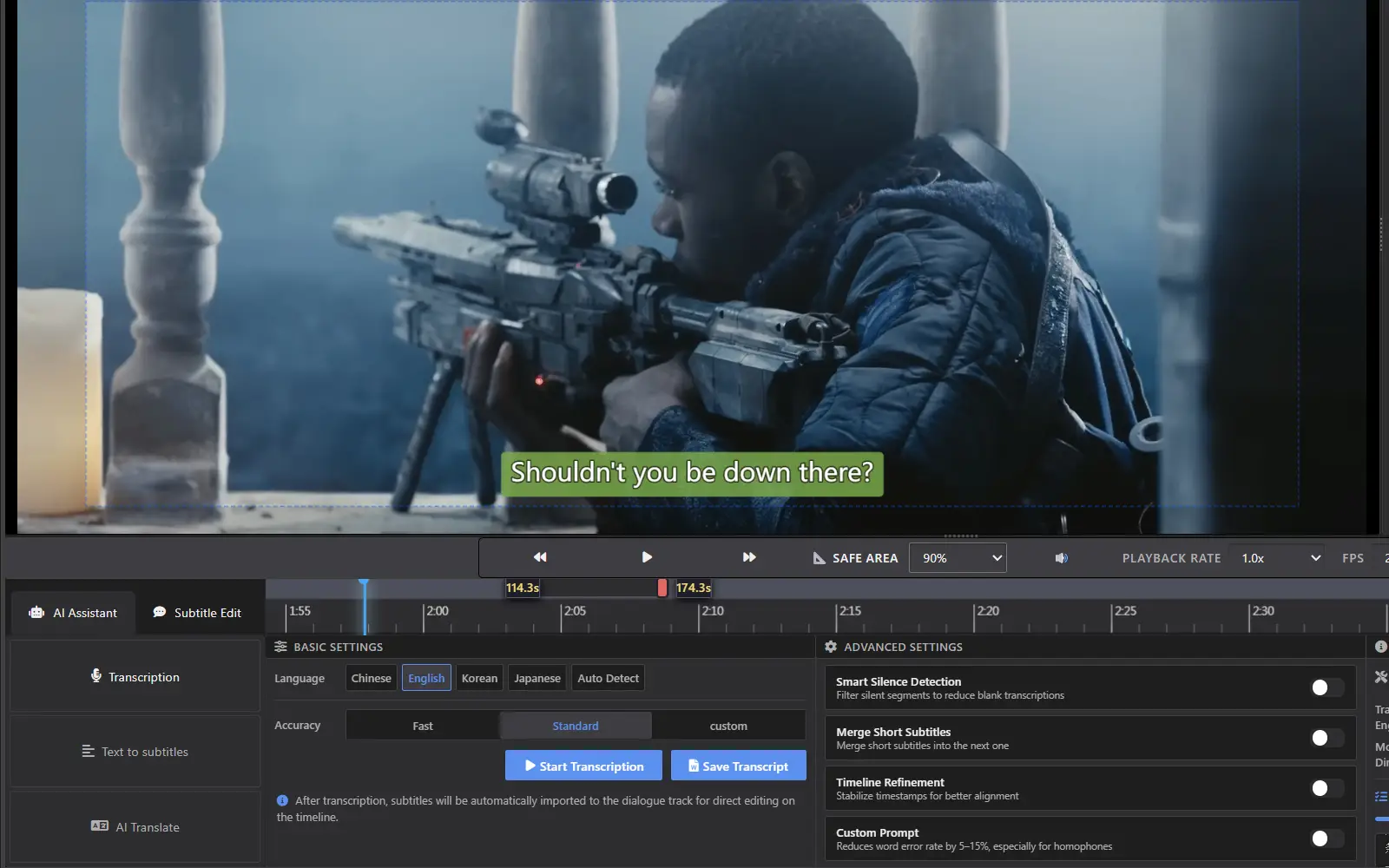
One-Click AI Subtitle Drafting
Advanced speech recognition runs entirely offline on your machine. Turn video speech into an accurate subtitle draft with one click, align existing scripts precisely to the audio, and automatically filter silent segments. What once took hours of manual transcription and timing can now be done in a fraction of the time.
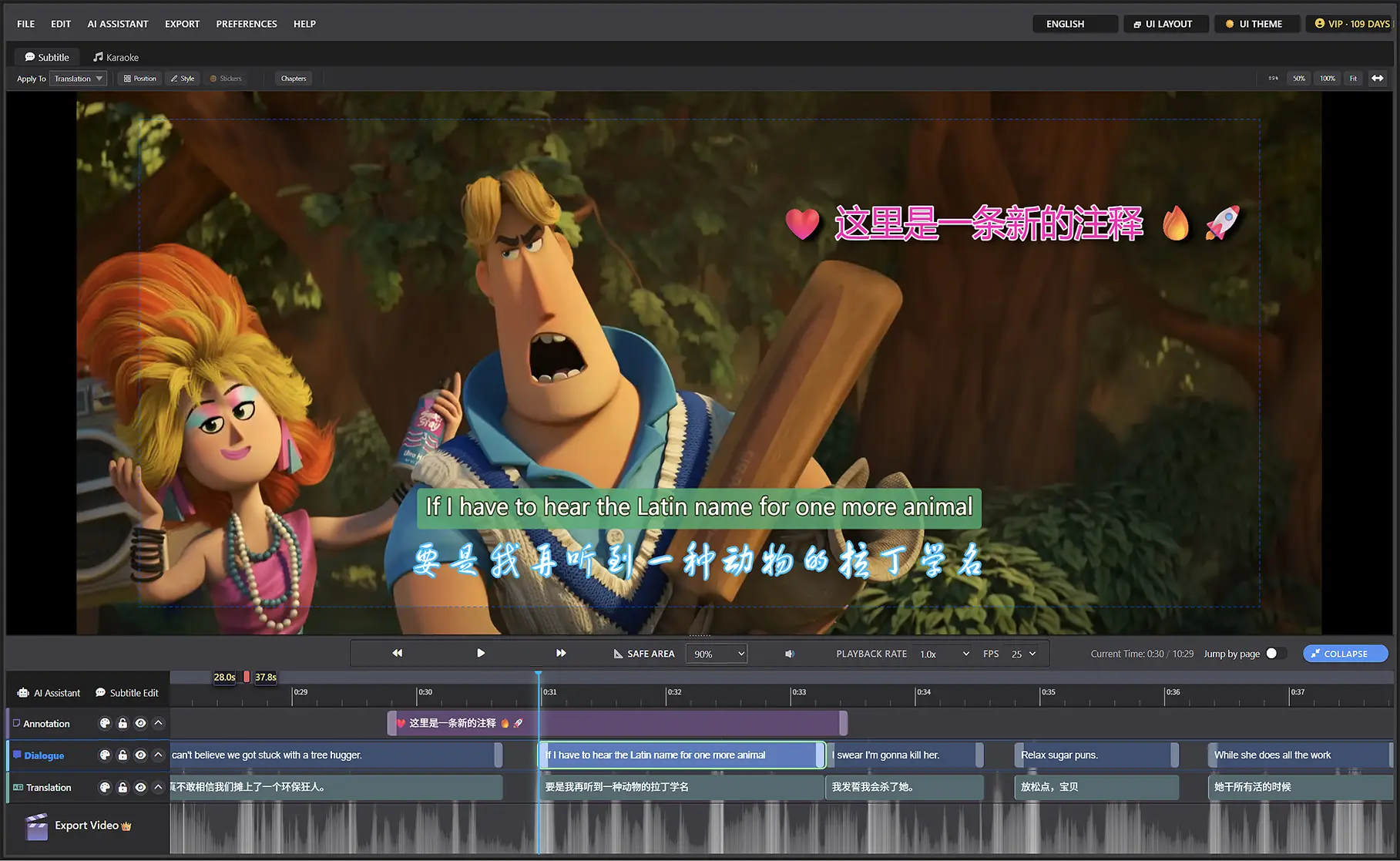
Precision Multi-Track Editing
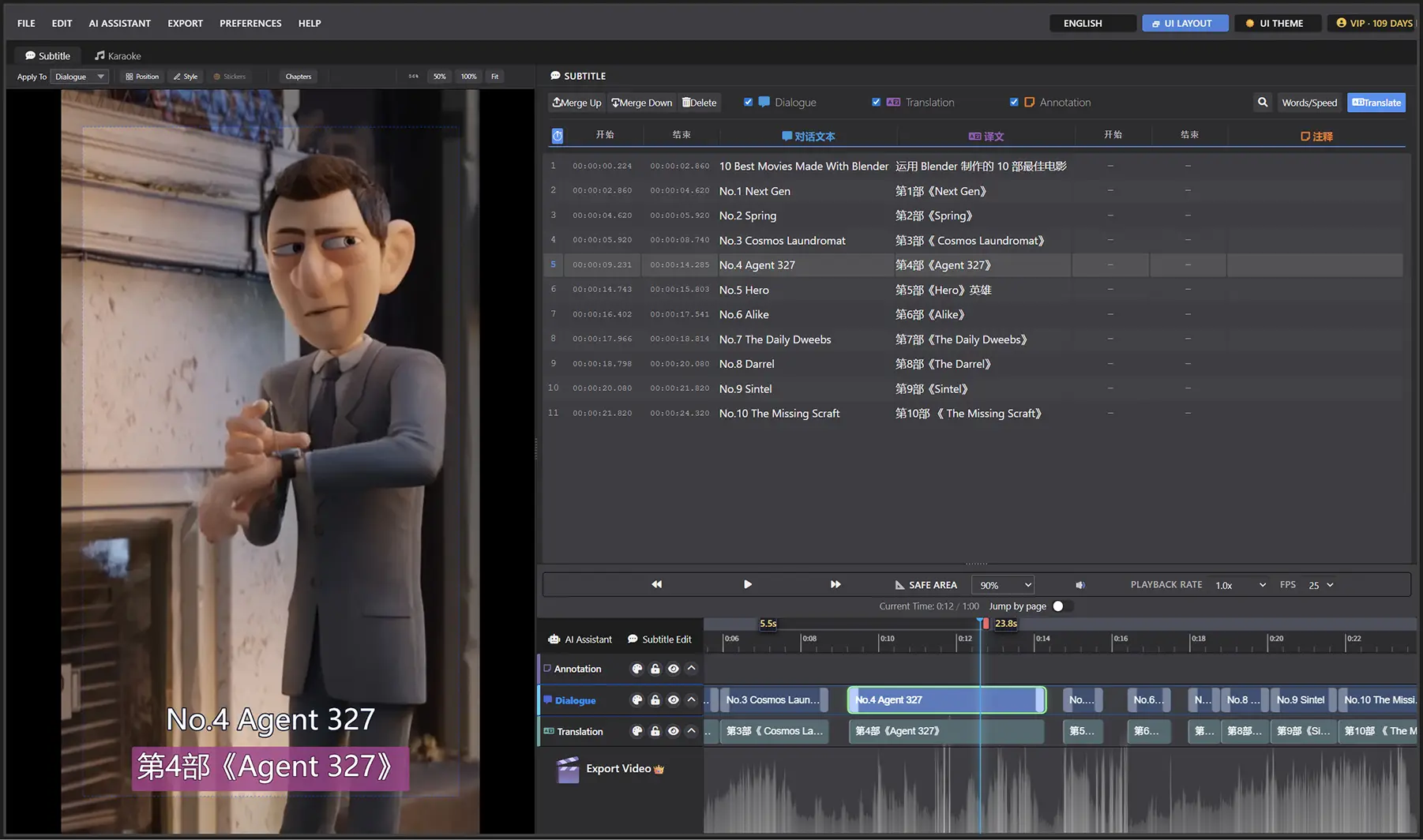
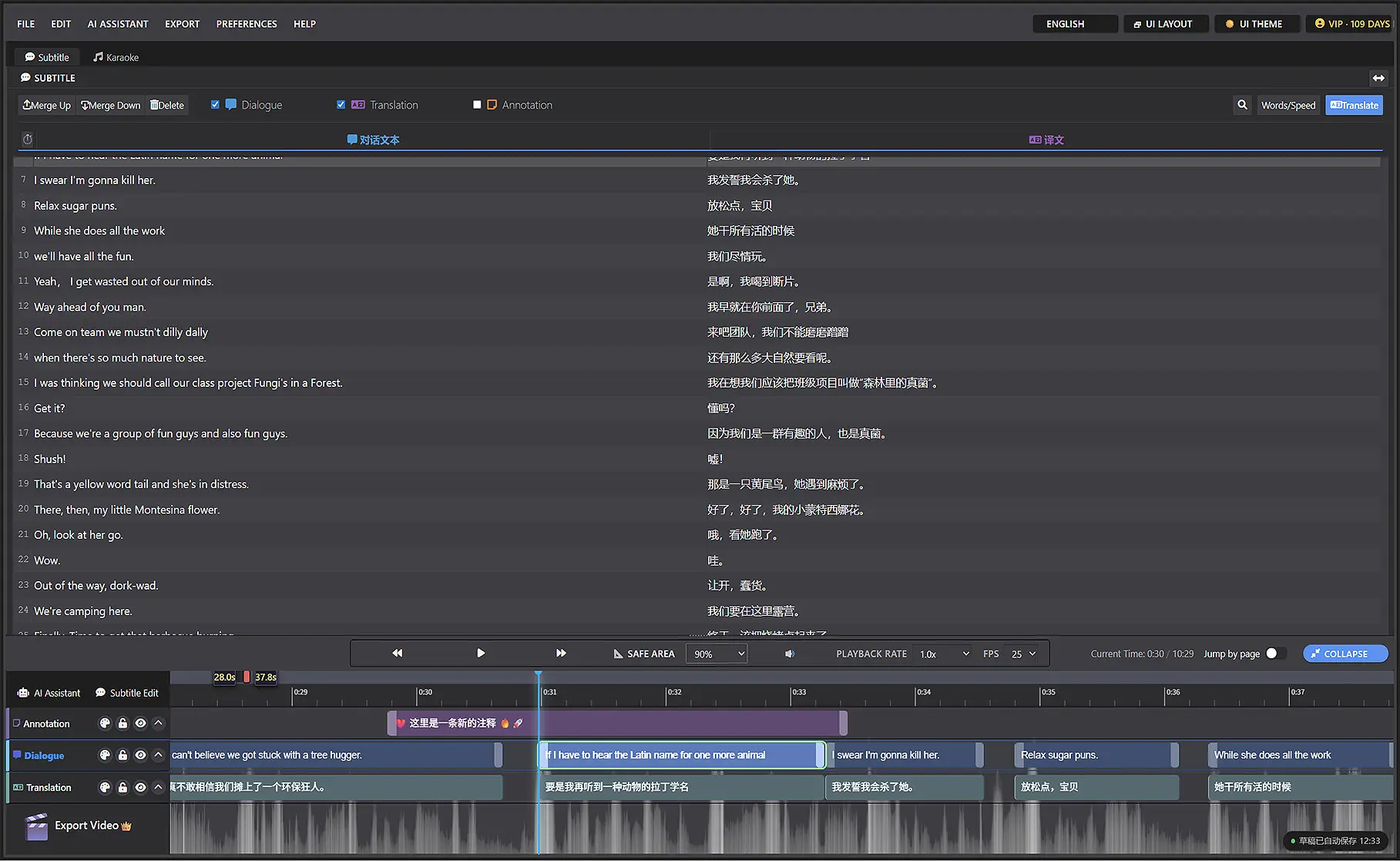
Dialogue, translation, and annotation tracks operate independently yet cohesively, with integrated audio waveform display. Drag handles or use keyboard shortcuts to effortlessly adjust timing, merge, split, and edit subtitle text. Wide-screen mode enables simultaneous viewing and editing of all tracks, dramatically reducing the efficiency loss from context switching.
AI-Powered Translation
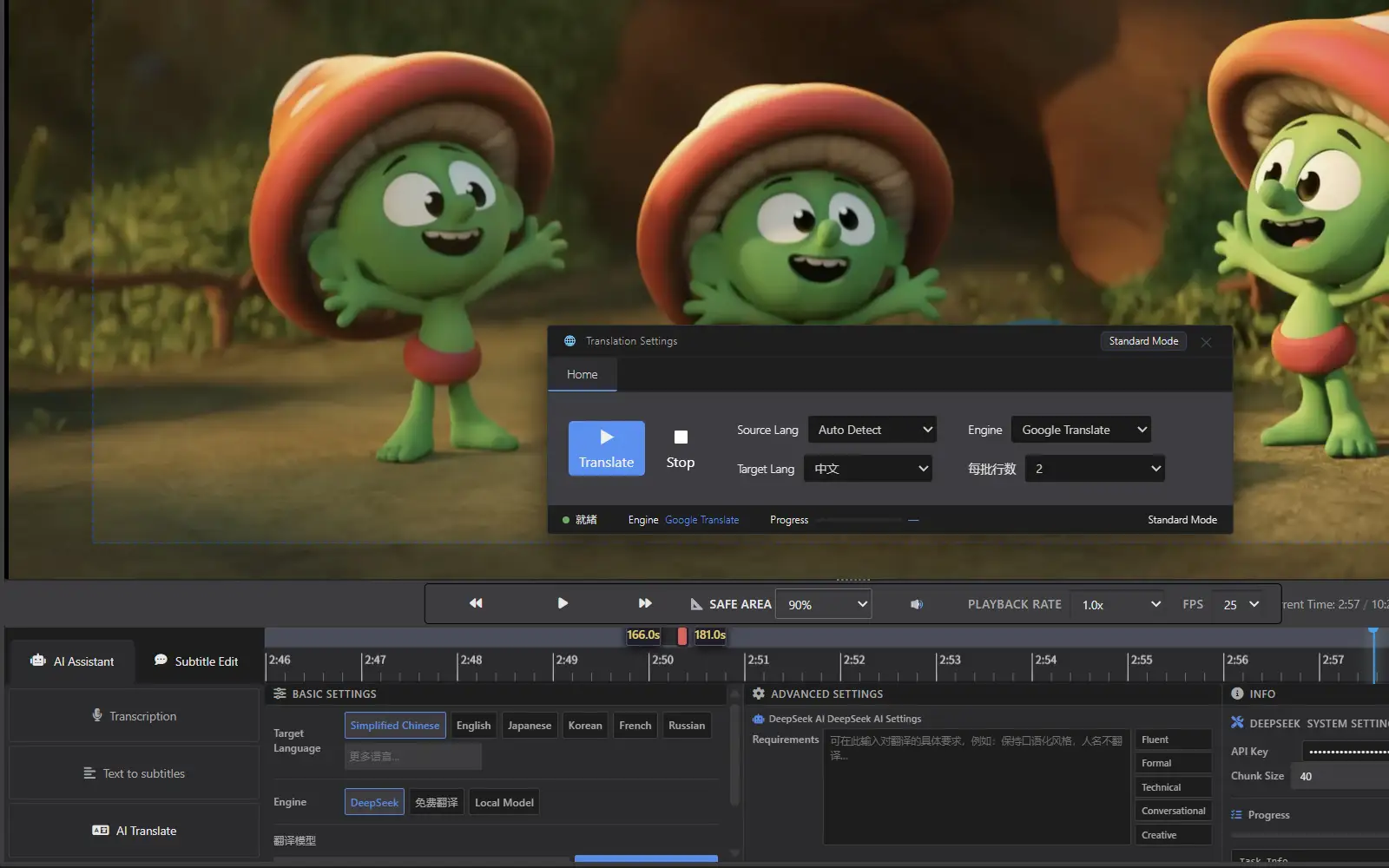
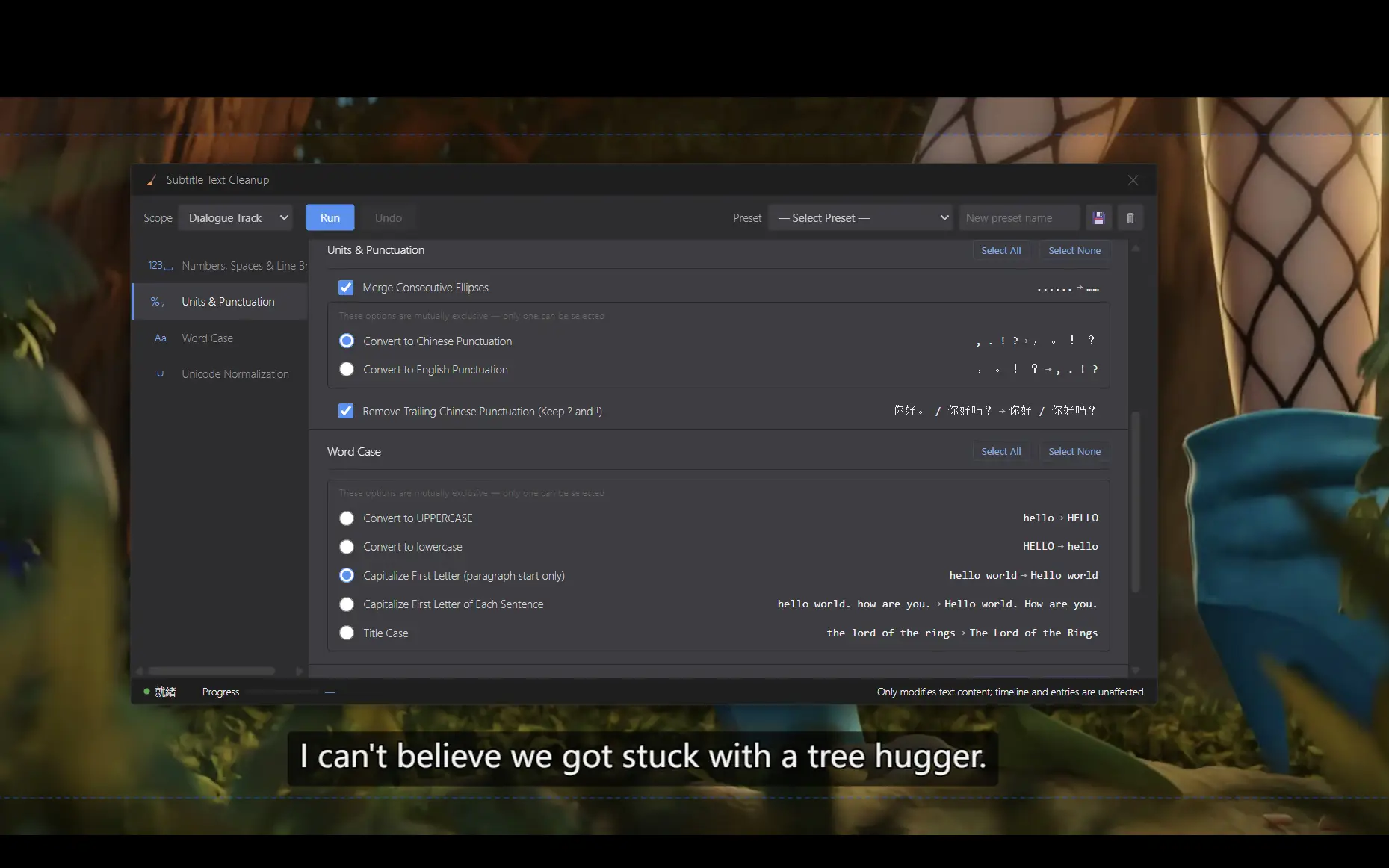
Comes with two built-in free translation engines, ready to use out of the box — or connect the DeepSeek API for more natural, native-level translation. Supports Chinese, English, Japanese, Korean, French, Russian, and more — over 100 languages in total — with a flexible switch between "Speed Priority" and "Quality Priority" modes to suit different needs. A one-click text cleanup tool also fixes formatting errors with ease.
Complete Delivery & Export
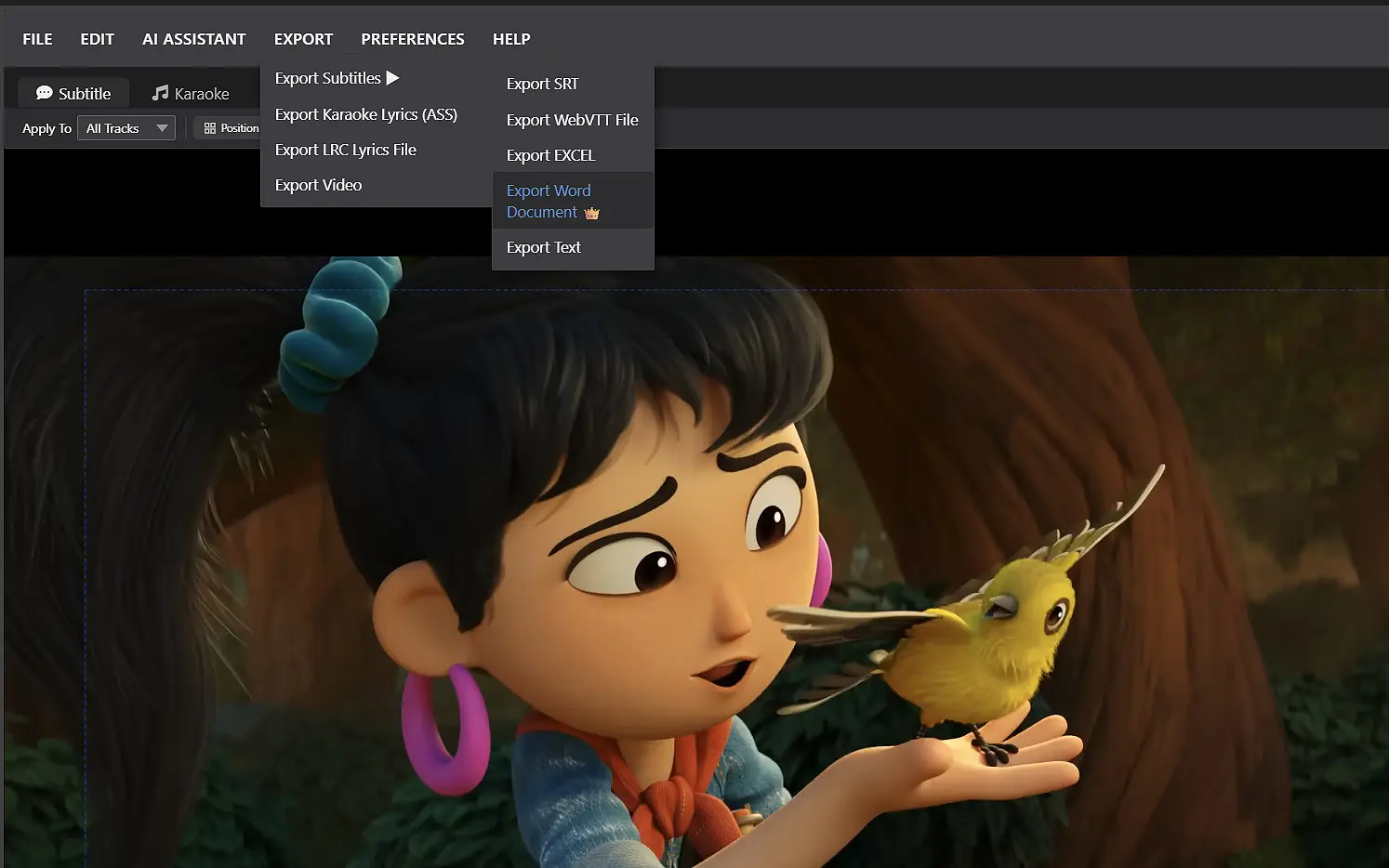
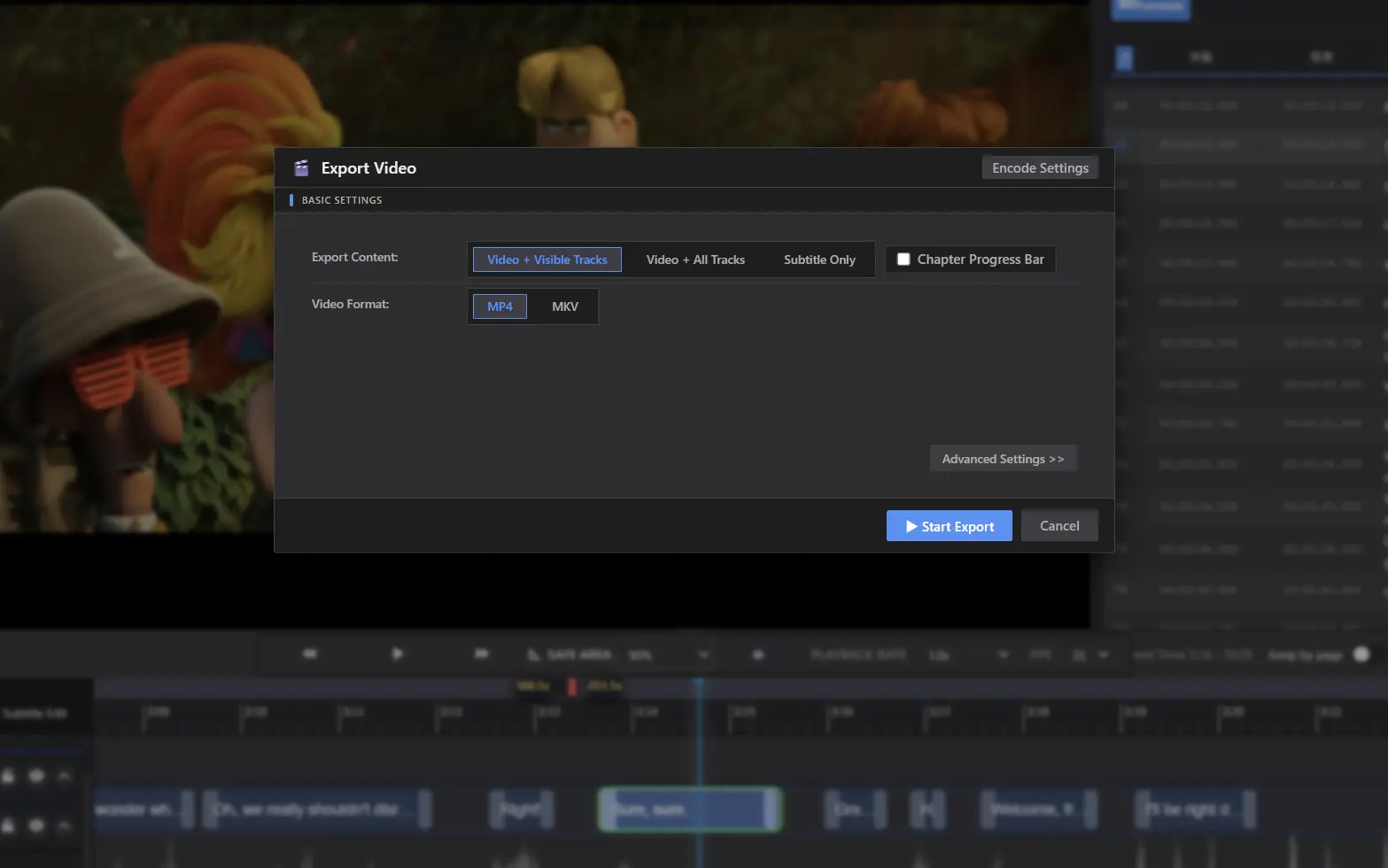
Export options include hardsub-burned video, softsub-encapsulated video, and transparent-layer overlay video. Also supports one-click generation of SRT, ASS, Excel, Word, and more. Whether for video publishing, professional localization delivery, editing software re-compositing, or internal review/archiving — one export gets the job done. Complex subtitle styles and effects are preserved as transparent-channel video, ready to drag directly into DaVinci Resolve, Premiere, Edius, or any editing software.
Additional Features
AI Transcription
One-click conversion of video speech to subtitles, running entirely offline — no internet required and no privacy concerns. Multi-language support with built-in VAD detection to automatically filter silence and generate a first draft quickly.
AI Text-to-Timeline Alignment
Automatically align existing Word, Text, or LRC lyrics to the video timeline — runs locally with AI intelligent matching, completely eliminating manual timing work.
AI-Powered Translation
Built-in free translation engine plus high-quality DeepSeek API translation, supporting Chinese, English, Japanese, Korean, French, Russian, and more — over 100 languages in total.
Multi-Track Editing
Dialogue, translation, and annotation tracks are independently managed with cross-copying support. Wide-screen mode enables simultaneous viewing and editing, dramatically boosting production efficiency.
Waveform Timeline
Real-time audio waveform display assists with precise alignment. Drag subtitle blocks directly on the timeline for accurate timing adjustments — intuitive operation with true WYSIWYG feedback.
Search & Replace
Global search and batch replace with built-in text cleaning tools. For long videos and large subtitle projects, unified modifications can be completed with a single operation.
Subtitle Styles + Chapters & Progress Bar
Subtitle styles are fully customizable with nine-grid positioning, offset, rotation, and emoji overlay support. Chapters and progress bars can also be created and embedded.
In-Preview Video Editing
While reviewing subtitles, double-click directly on the video frame to edit text — no interface switching required, dramatically improving proofing efficiency.
Personalized Customization
Supports switching between different interface layouts for long-form and short-form video, interface language support for Simplified Chinese, Traditional Chinese, and English. Both 'Mouse+Keyboard' and 'JKL' video-editor modes, plus customizable hotkeys and dark/light theme switching.
Frequently Asked Questions
AI transcription offers one-click recognition for Chinese, English, Japanese, and Korean. By clicking the 'auto-detect' button, additional languages can be processed using the Whisper model. Translation Supports Chinese, English, Japanese, Korean, French, Russian, and more — over 100 languages in total. The quick-button approach is an interface design choice to keep the dropdown list manageable — 'auto-detect' covers additional languages, balancing ease of use with broad language coverage.
No. Both AI transcription and text-to-timeline alignment run entirely offline on your local machine — no online quota consumption and no source content privacy concerns.
Yes, the current AI translation feature requires an internet connection, as it calls cloud-based large language models for processing. We understand this may raise privacy concerns and incur token costs. Our team is actively working on developing a local offline AI translation capability that will run entirely on your machine — this will better address confidentiality needs and eliminate token expenses. This feature is currently in development; we don't have a confirmed release date yet but will keep users updated on our progress.
Yes. We have verified stable processing on 4K resolution videos exceeding 30 minutes, and 1080P videos extending beyond 5 hours.
The free translation engine incurs no costs and can be used without concern. AI translation provides superior quality, but because it calls large language models and consumes token resources, it does incur usage costs. For specific pricing details, please refer to the DeepSeek official website.